Set up Notifications
Log in to your account and use the search feature to locate your account number.
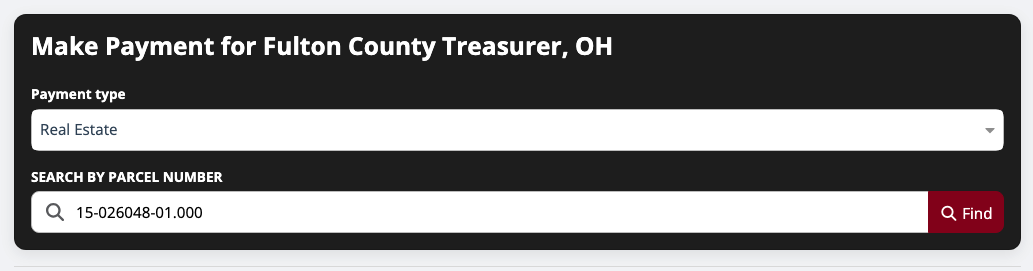
Once your account appears, click “View Details.”
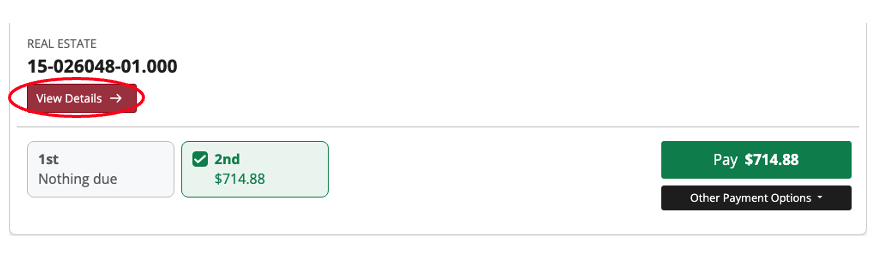
Your account details will load on the screen.
At the top of the page, click “e-Billing.”
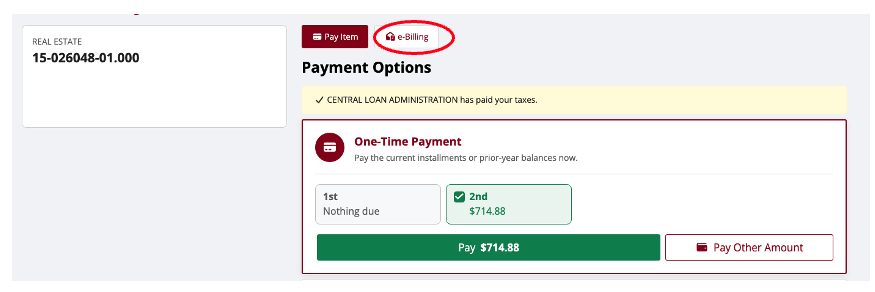
Select the emails you would like to get and click "Enroll in e-Billing.”
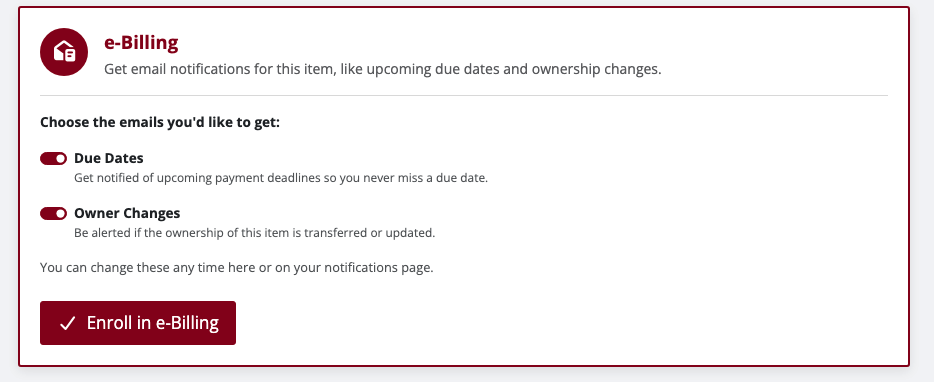
After enrolling, click the dropdown under Your Account and navigate to Notifications.
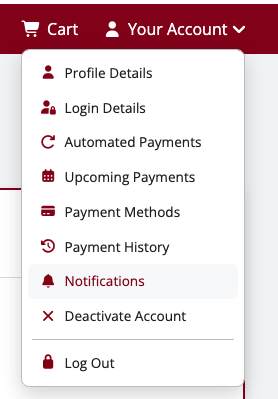
Select and adjust the types of notifications you want to receive, such as:
- Payment reminders
- Owner changes
- Due date alerts

Make sure to click "Save" before exiting.
Remove Notifications
To stop receiving notices, you will need to do the following:
Log into your account
Click the dropdown under Your Account and navigate to Notifications.
Select your item and toggle the button off for Payment Reminders and click Save.

Repeat for additional items/accounts.
Was this article helpful?
That’s Great!
Thank you for your feedback
Sorry! We couldn't be helpful
Thank you for your feedback
Feedback sent
We appreciate your effort and will try to fix the article