The Share Checkout feature allows staff to send a secure checkout link to a payer so they can enter their own payment information and complete the transaction.
Share a Checkout
Under MuniciPay, select Run Transaction to open your MuniciPay payment portal.

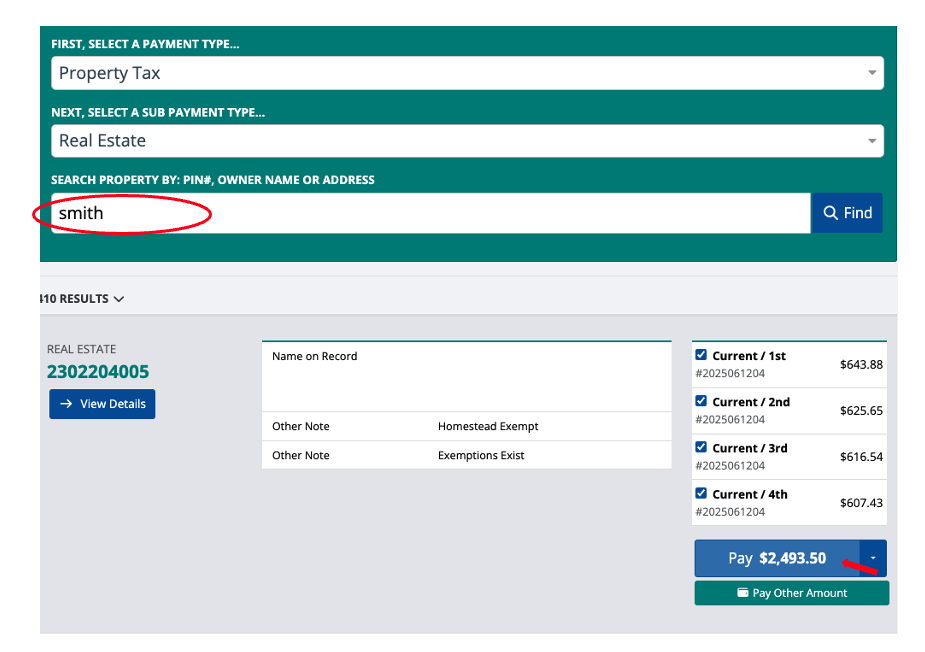
Search for or enter the payer’s information and click "Pay" to populate the shopping cart.
Once the appropriate item is in the shopping cart, click Checkout & Pay.
Click Checkout Now.
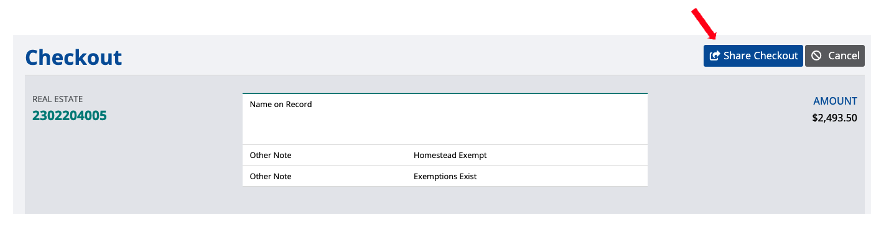
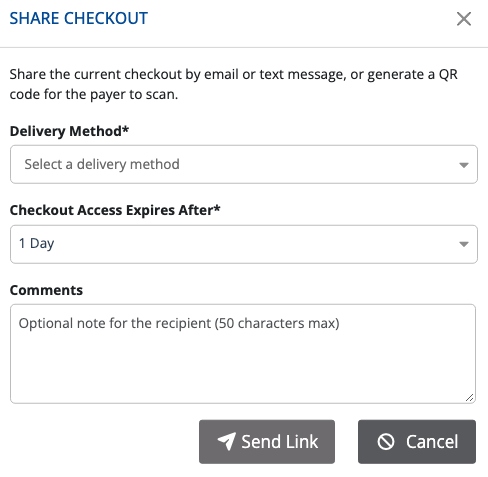
In the upper-right corner of the checkout screen, click Share Checkout.
Select a Delivery Method from the drop-down menu:
- Text
- QR Code
Under Checkout Access Expires After, select how long the checkout link should remain active:
- 1 Hour
- 1 Day
- 1 Week
Enter any Additional Comments, if needed. Comments are optional and limited to 50 characters.
Click Send Link.
The payer will receive a link that allows them to securely enter their payment information and complete the payment.
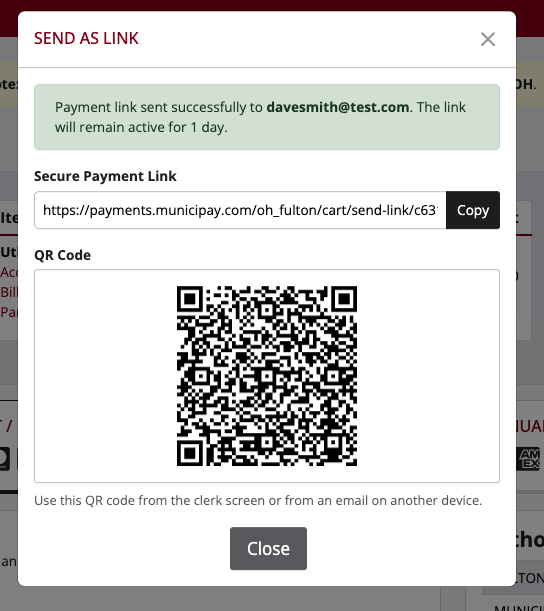
Note: The checkout link will remain active only for the expiration period selected when the checkout is shared.
**This is only available on regular OTC checkouts only. API OTC checkouts will have this feature, but it will be permission based.
Was this article helpful?
That’s Great!
Thank you for your feedback
Sorry! We couldn't be helpful
Thank you for your feedback
Feedback sent
We appreciate your effort and will try to fix the article