Would you like to add a new payment item in one of your existing departments?
Our management tools will allow you to clone an existing payment item, to add a new - just simply rename and select the details, and add!
You'll find this option available under Settings > Manage Department & Items: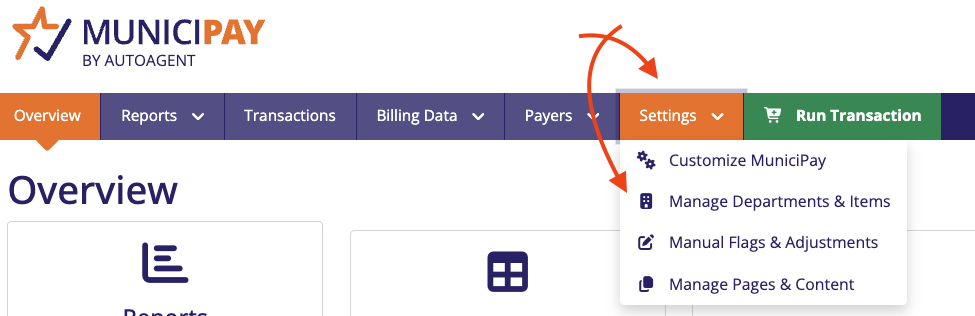
When you land on the next page, you'll find a list of your departments, with a hyperlink below to select that will allow you to drill down into the department to view all items, and make edits.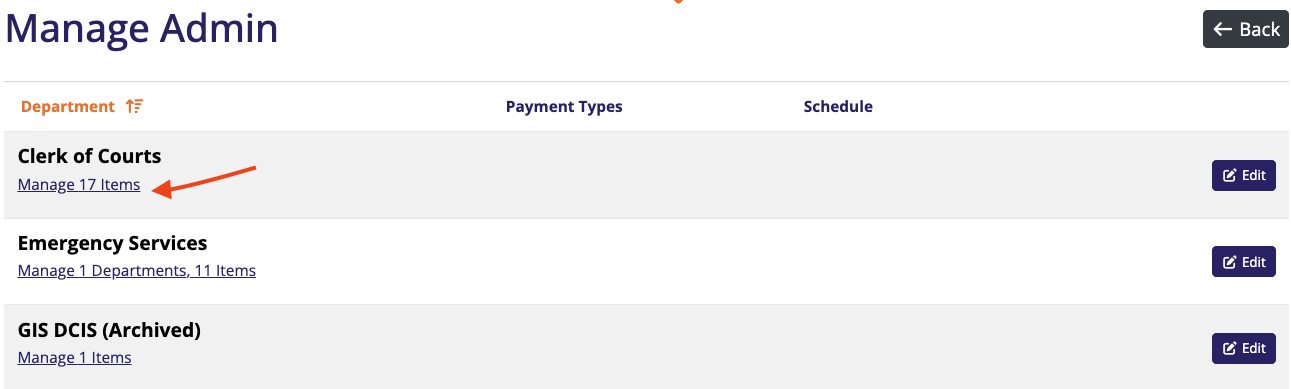
Once you've drilled down into the item management, you'll find the list of all items available under that specific department, with tools to edit whether they are enabled, editable, enable/disable payment features, and schedule a shut off or on.
At the end of each one of these entries - you will find a option under the button at the end of each entry with the option for "Clone item" 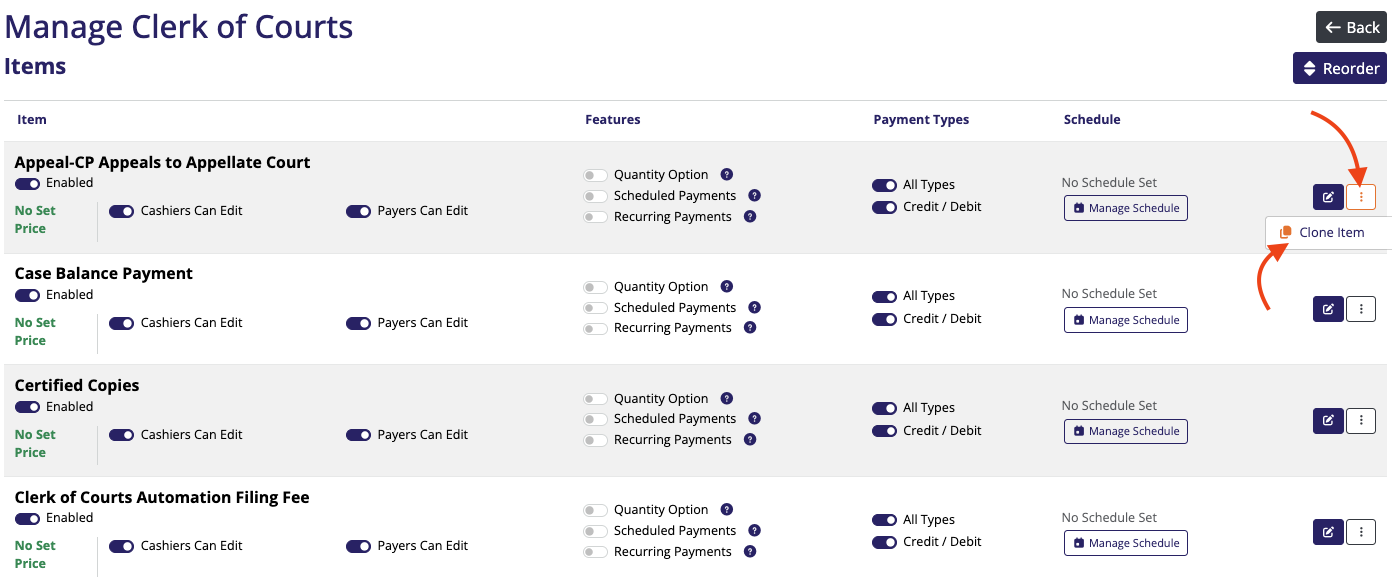
Selecting the Clone Item button will pop up the following, where you can Name, Add a Description, and Price to add a new item to the department using the same bank account.
There aer also Terms & Conditions, or a Notice that you may display to end-users, if you wish.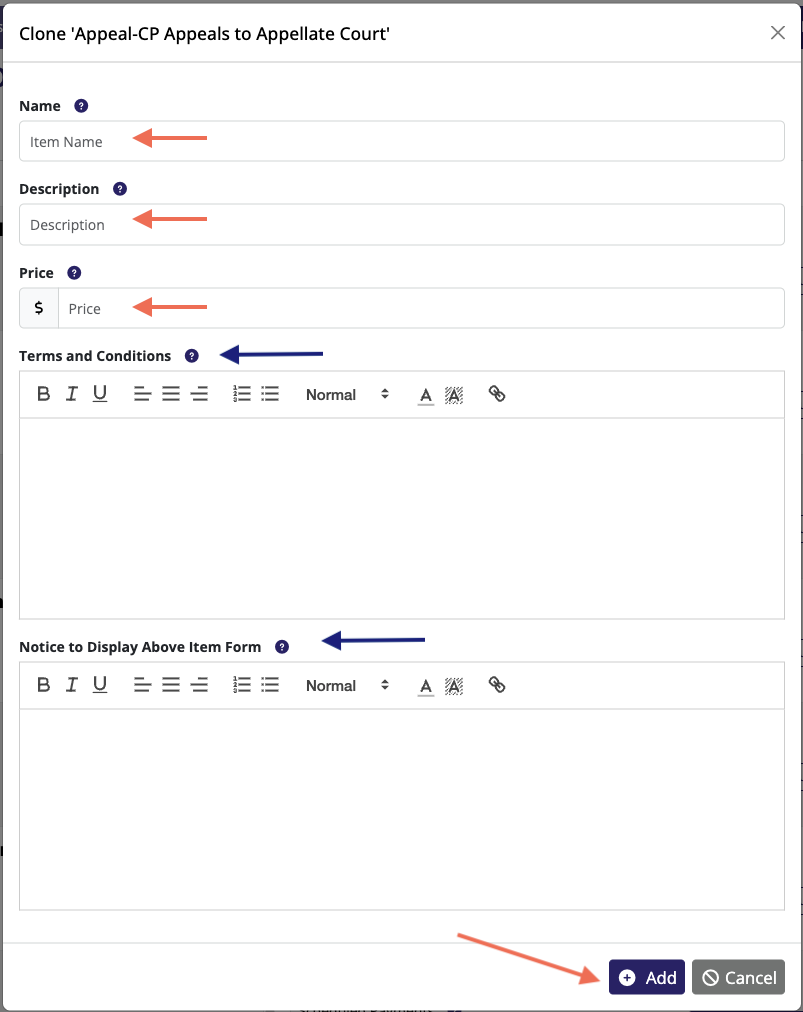
When you're ready, hit "ADD" and your new item will be available to manage in your Mange Items list.
Was this article helpful?
That’s Great!
Thank you for your feedback
Sorry! We couldn't be helpful
Thank you for your feedback
Feedback sent
We appreciate your effort and will try to fix the article