Muni-Link & MuniciPAY
Online Payer Walk Through (Portal / AuthorityPay)
- Log onto your Muni-Link account through the Authority Pay Portal.
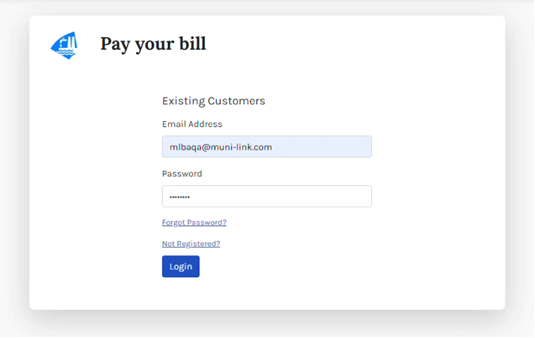
2. Upon signing in, if you are not enrolled in Automatic Payments, you will be prompted to do so if your municipality has this option enabled.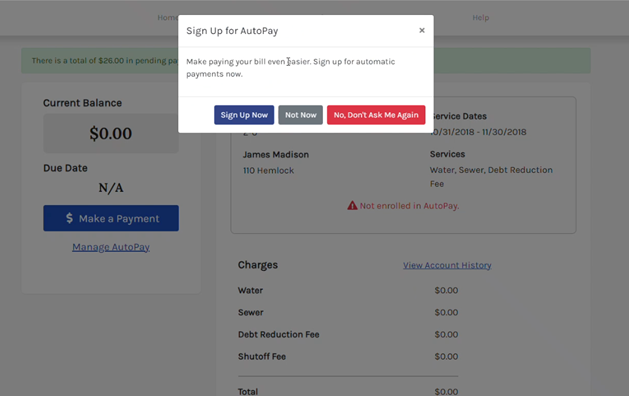
2A. If you do not click "Sign Up Now" on the pop-up box - you may always navigate back to this enrollment option by selecting "Manage AutoPay" from your Dashboard.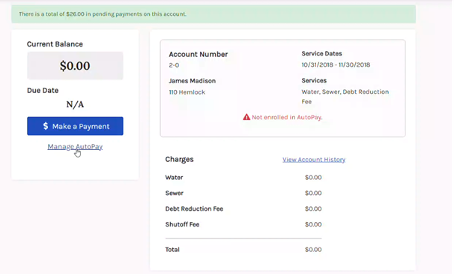
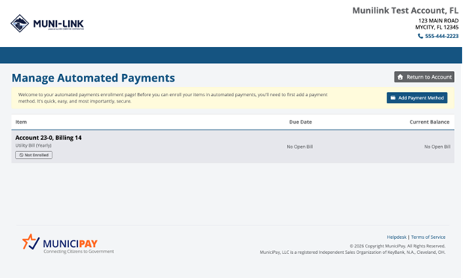
3. Clicking "Sign Up Now" or "Manage Autopay" will prompt the next step - a page hosted by Autoagent/MuniciPAY - to enroll, and will prompt you to "Add Payment Method."
Was this article helpful?
That’s Great!
Thank you for your feedback
Sorry! We couldn't be helpful
Thank you for your feedback
Feedback sent
We appreciate your effort and will try to fix the article